199 Formulas. One Broken System.
One Clear Plan.
A commercial furniture company was running its entire operation out of a single Excel workbook built for survival — not design. It was breaking. This is how we figured out why.
The Problem
A commercial furniture company specializing in furnishing entire student housing properties — multi-story apartment complexes near college campuses, entire building portfolios, high-rises — was running its entire operation out of a single Excel workbook.
Inventory. Vendor pricing. Cost structures. Tariff calculations. Landed cost logic. Proposal generation. Everything.
The owner had built it himself over the years. Not from a design blueprint. Not from a technical plan. From pure survival — adding formulas, worksheets, and logic as the business demanded it, one layer at a time, until the workbook had become something even he couldn't fully navigate anymore.
He found me through Upwork, tracked down my direct email, and reached out outside the platform entirely. He knew something was broken. He just didn't know why.
Slow refresh times. Formulas corrupting without warning. The workbook freezing mid-session. For a company building proposals for high-rise student housing projects — where a single contract could mean furnishing hundreds of units across multiple buildings — this wasn't a minor inconvenience. It was a direct threat to the business.
The Brief
The ask was straightforward: get inside the workbook, assess what was wrong, and identify what could realistically be done about it.
What I found when I opened it was not straightforward at all.
My honest reaction: I was surprised it had worked as long as it had.
The Process
The workbook went through a systematic AI-assisted diagnostic review — analyzing formula structure, dependency chains, performance bottlenecks, and data integrity risks across all 199 columns.
The output wasn't a list of errors. It was a prioritized impact assessment: every major issue identified, categorized, and weighted by the magnitude of its effect on system performance and business operations.
The work took longer than expected. The workbook demanded it. There are no shortcuts when the system you're analyzing is also the system keeping a business alive.
The Deliverable
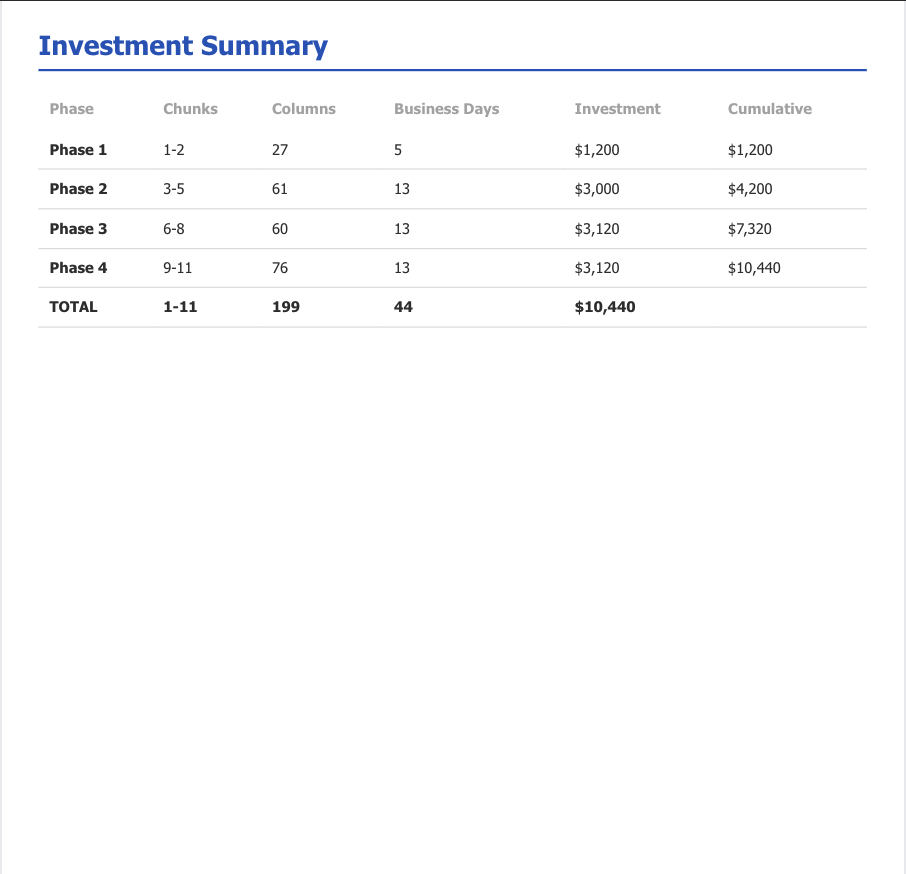
The scoping document organized the full migration into 4 phases and 11 logical chunks — structured so the work could be delivered and validated incrementally, with clear entry points at every budget level. Each chunk was defined by its dependencies, complexity, and business impact.
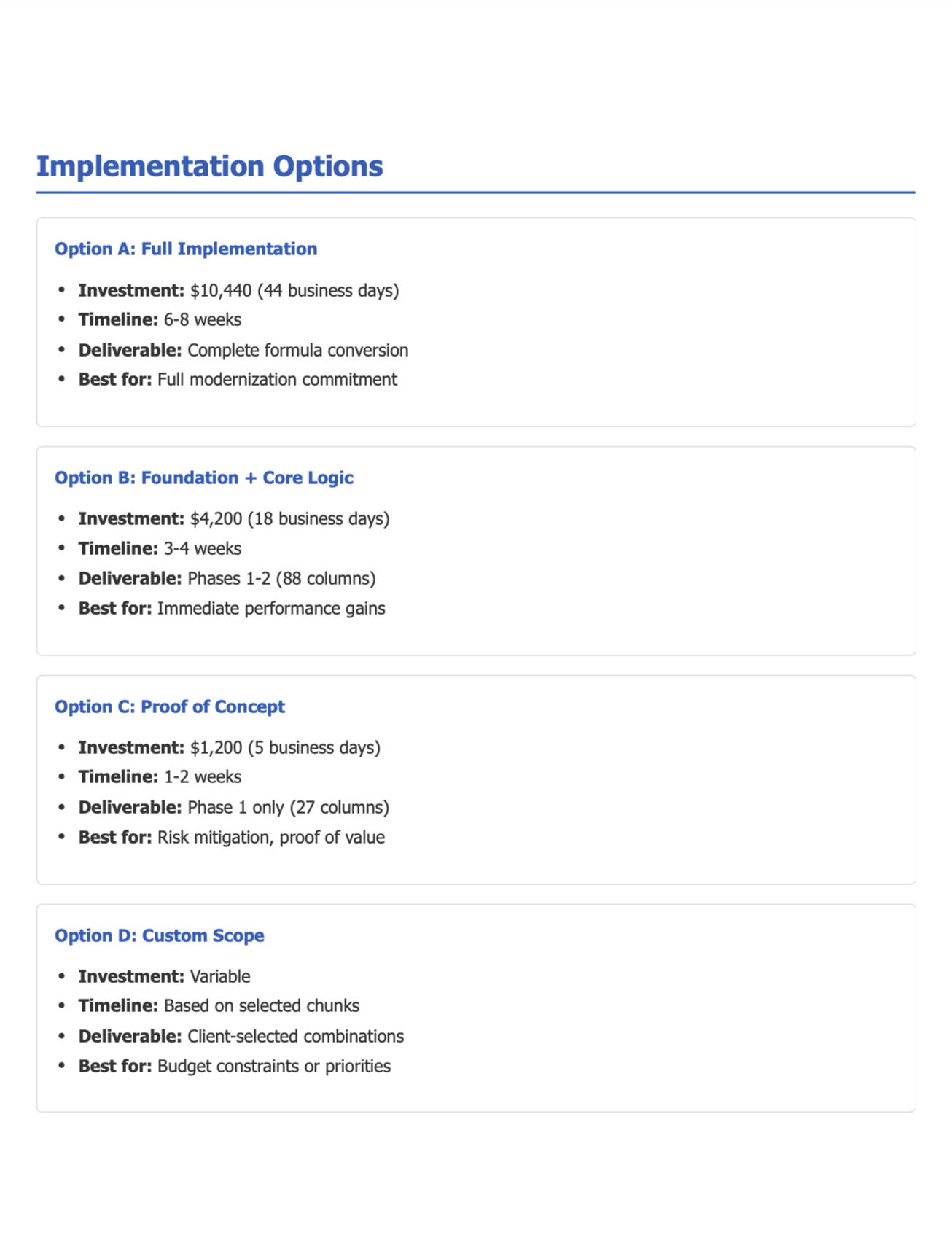
Implementation options — four scoped entry points
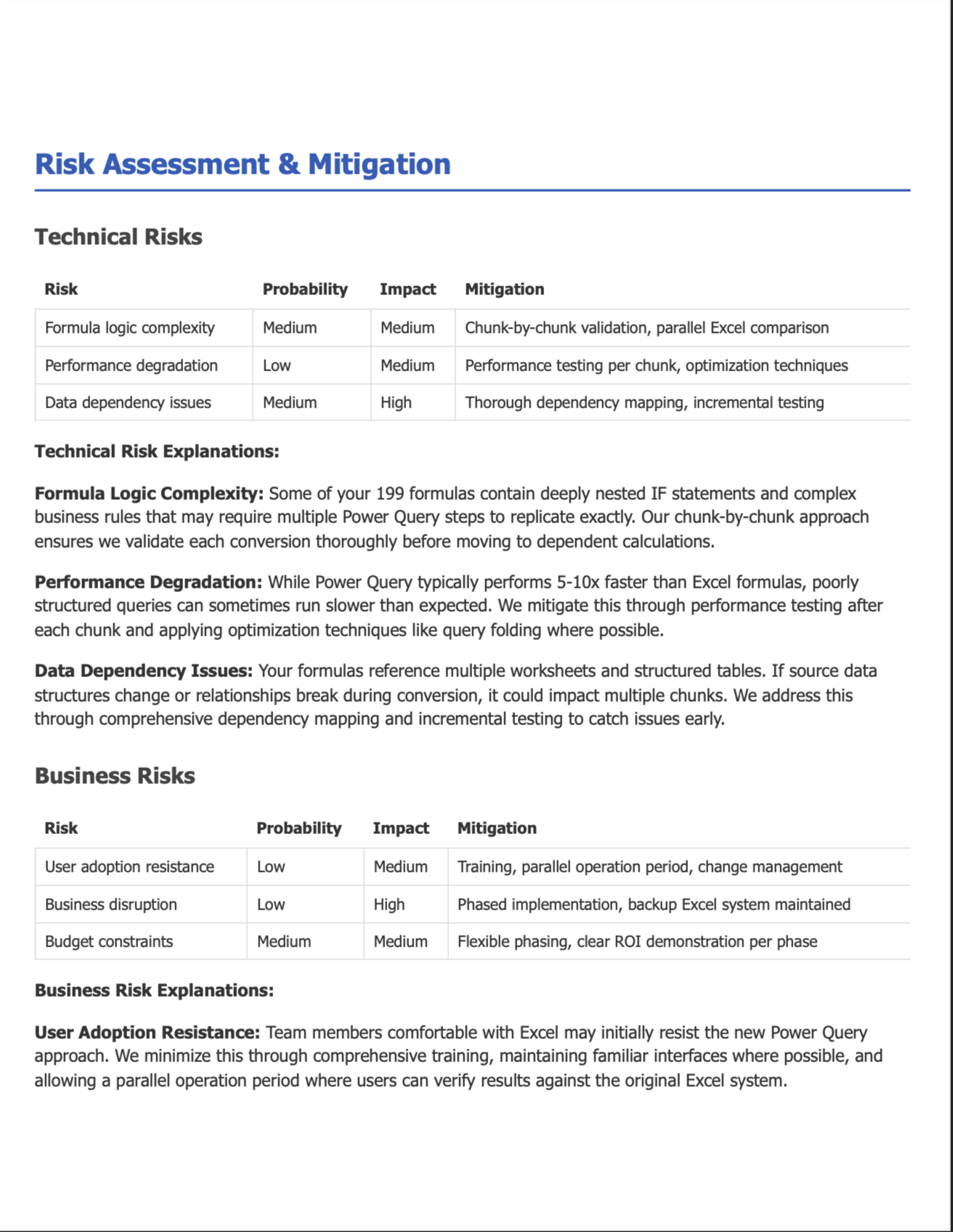
Risk assessment & mitigation — technical and business risks mapped
What This Illustrates
Some of the most valuable work a consultant can do never touches the actual fix.
This engagement drew on deep Excel expertise — understanding formula architecture, dependency logic, Power Query migration paths, performance bottlenecks. But the deliverable wasn't a repaired workbook. It was a report. A clear, structured, decision-ready document that gave a business owner control over a situation that had been out of control for years.
Scoping a project of this complexity — assessing 199 formula columns, mapping dependencies, pricing a phased migration, and producing a document detailed enough to hand off to anyone — is not a trivial exercise. It requires both the technical depth to understand what you're looking at and the analytical discipline to communicate it clearly. The fact that a client offered to pay for that before being asked says everything about the value of getting it right.
Running a business on a system that's holding you back?
I'll dig in, figure out what's broken, and give you a clear picture before you commit to anything.
Let's Talk →